
Exploring the Benefits of Z-Wave Light Bulbs


Exploring the Benefits of Z-Wave Light Bulbs
Have you ever settled onto the couch for a movie, only to realize the kitchen light is glaring? Or fumbled for a switch in the dark with your hands full of groceries? We’ve all been there. What if your lights could just… know what you needed? This is the simple promise of smart lighting, and bringing that convenience into your home is easier and more reliable than you might think.
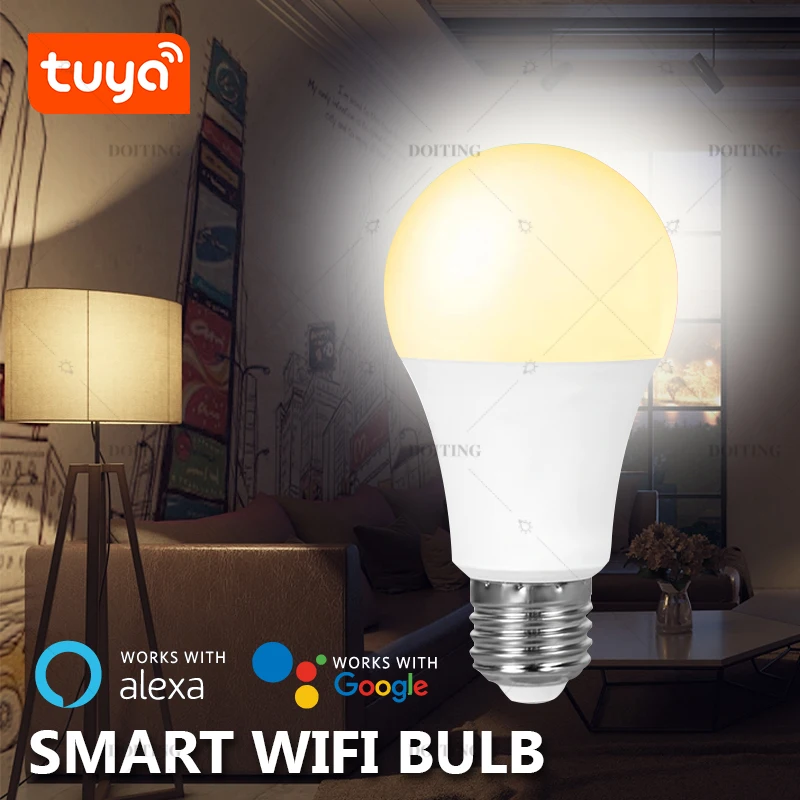
At its heart, a smart bulb is simply a light bulb you can control with more than just a wall switch. Using an app on your phone, the sound of your voice, or an automatic schedule, you can turn lights on and off, dim them for the perfect mood, and sometimes even change their color. This is the first step in understanding smart home basics: giving you intelligent control over everyday devices.
Many people begin their journey with smart bulbs that connect directly to their home Wi-Fi. They’re a great start, but what happens when your smart home grows? Imagine ten, fifteen, or even twenty devices—bulbs, plugs, and sensors—all competing for attention on the same network you use for streaming movies, working from home, and video chatting. In practice, this can create a digital traffic jam, making your devices slow or unresponsive.
This is where Z-Wave light bulbs offer a smarter path forward. Instead of crowding your Wi-Fi, Z-Wave technology creates a separate, private network just for your smart devices. Think of it like a dedicated VIP lane on a busy highway. This means your Netflix stream never gets interrupted by your lights, and your smart lighting system remains fast and dependable.

Building a truly connected and hassle-free home isn’t about adding gadgets that might slow you down; it’s about creating a strong foundation. By choosing a dedicated system like Z-Wave, you ensure your smart lighting is not just a novelty, but a powerful, reliable, and scalable part of your daily life.

What If Your Lights Didn’t Clog Your Wi-Fi?
Have you ever had your favorite show start buffering at a critical moment, or a video call freeze while you’re talking? We often blame our internet provider, but the culprit might be closer to home: our own devices. Your Wi-Fi network is shared by everything, from your work laptop and streaming TV to your phone and gaming console, and it can only handle so much at once. Adding a house full of Wi-Fi smart bulbs can make the problem even worse.
Think of your home’s Wi-Fi as a busy highway. Your 4K TV is like a massive truck that takes up a lot of space. Your laptop is a steady stream of cars. While a single Wi-Fi smart bulb is just a tiny scooter, adding ten or twenty of them creates a swarm of new traffic, causing congestion for everyone. This is the core issue when comparing Z-Wave vs. Wi-Fi; every device competes for the same limited bandwidth, which can slow down the devices that need it most.
This is precisely the problem a dedicated smart home network is built to solve. Instead of adding more traffic to your already crowded internet highway, your smart devices can have their own private, express lane. This not only makes them more reliable but also helps improve Wi-Fi speed for the things that matter most, like streaming and working from home. This is where Z-Wave shines.
Meet Z-Wave: Your Smart Home’s Private VIP Lane
So, how do you get this private express lane for your smart home? The answer is a technology called Z-Wave. Think of it as a wireless network built exclusively for smart devices like light bulbs, locks, and sensors. Instead of adding more traffic to your busy Wi-Fi highway, your Z-Wave devices get their own clear, private road. This network is specifically designed for small, simple commands like “turn on the light,” ensuring those messages always get through instantly without any traffic jams.

The secret to how Z-Wave works is that it uses a completely different, low-energy radio signal from your Wi-Fi. It’s similar to how your car’s FM radio can play music without interfering with your cell phone call. Because they operate on separate frequencies, they simply ignore each other. This is the most important factor in the Z-Wave vs. Wi-Fi debate: your smart lights won’t slow down your Netflix stream, and your video call won’t make your lights lag.
This dedicated approach is why Z-Wave is known for being so incredibly reliable—it’s the same type of technology trusted by professional security companies for alarms and sensors that have to work every single time. It was built for dependability, not for data-heavy tasks. Of course, to create and manage this private network, all of your devices need a central coordinator to talk to.
What is a Z-Wave Hub and Why Do I Absolutely Need One?
That central coordinator is called a Z-Wave hub (or controller). Think of it as the dedicated brain for your smart home. While your phone app is the remote control, the hub is the one that actually “speaks Z-Wave” to your light bulbs. When you tap “dim the lights” in your app, that command goes to the hub, which then instantly translates it and sends it out over that private Z-Wave network. So, to answer the big question: yes, Z-Wave bulbs do need a hub—it’s the essential component that creates and manages their exclusive network.
The real magic of having a hub is that it’s not just a translator; it’s the director of the whole show. Because the hub and bulbs speak directly to each other, many commands and schedules work even if your home’s internet goes down. That scheduled “Good Morning” scene where your lights slowly brighten? It will still run on time, because the “brain” is right there in your house, not somewhere on the internet. This provides a level of reliability you simply can’t get from devices that depend completely on a Wi-Fi connection.
Getting started is simple, and you only need one hub to run dozens—or even hundreds—of Z-Wave devices throughout your entire home. It’s a one-time purchase that unlocks the potential for a truly connected system. A few popular and well-regarded Z-Wave hubs include:
- Aeotec Smart Home Hub (Works with the SmartThings platform)
- Hubitat Elevation
- Ring Alarm Pro (Which has a Z-Wave hub built-in)
Once you have your hub, every new Z-Wave bulb you add doesn’t just join the team; it actually makes the whole network stronger.

The ‘Secret Sauce’ of Z-Wave: How a Mesh Network Banishes Dead Spots
That last part is the secret sauce of Z-Wave technology. Unlike your Wi-Fi, where every device must connect directly back to a single router, Z-Wave devices can communicate with each other. This creates what’s known as a Z-Wave mesh network. Think of it like passing a note in class: your command doesn’t have to go straight from the hub to a distant bulb. Instead, it can hop from a nearby lamp to a smart plug, which then relays it to its final destination. This teamwork is what makes the system so powerful.
This approach is a huge advantage for covering your whole home. Is the signal from your hub struggling to reach the smart bulb in the garage or on the back porch? With a mesh network, it’s rarely a problem. Every Z-Wave bulb or plug you install acts as a small signal booster, or “repeater.” This means each new device you add helps improve the Z-Wave mesh network with bulbs, extending its reach further and banishing potential dead spots. The effective range is no longer just a circle around your hub; it’s a web that covers your entire property.
This creates a powerful and wonderfully counter-intuitive benefit: the more Z-Wave devices you have, the stronger and more reliable your network becomes. If one bulb is unplugged or a signal path is somehow blocked, the mesh automatically and instantly finds a different route for your command to travel. This self-healing ability is what makes Z-Wave so famously dependable, giving you peace of mind that your lights will respond instantly, every time.
Z-Wave vs. Zigbee vs. Wi-Fi: A Simple Guide to Choosing the Right Bulb
When you start shopping for smart bulbs, you’ll quickly notice a few different technologies on the box. The most common is Wi-Fi, which is popular because it’s simple—the bulb connects directly to your home router, with no extra hardware needed. While this is great for one or two devices, adding a whole house full of Wi-Fi lights, plugs, and switches can create a digital traffic jam on your network, potentially slowing down your TV stream or video calls.
Another major player you’ll encounter is Zigbee. Much like Z-Wave, it also uses a dedicated hub and creates its own reliable mesh network that won’t interfere with your Wi-Fi. It’s a very popular and capable technology, used in well-known products like Philips Hue lights. For a long time, the biggest question for smart home builders was deciding between these two powerful systems.
So what makes Z-Wave stand out, especially for someone building a system piece by piece? The answer is a simple but powerful promise: guaranteed compatibility. Every device that carries the official “Z-Wave Certified” logo must pass a strict testing program. This ensures that a Z-Wave light bulb from one brand will work perfectly with a Z-Wave hub from a completely different company, today and in the future. There’s no need to check compatibility lists or worry about future updates breaking things.
Ultimately, this certification is all about your peace of mind. For a single smart bulb in a lamp, Wi-Fi is an easy entry point. But for building a truly reliable and expandable smart home where you can mix and match the best devices from any brand, Z-Wave’s “it just works” approach is hard to beat.
Your First Z-Wave Bulb: A Simple Pairing Guide for SmartThings
You’ve unboxed your new hub and have your first Z-Wave bulb ready to go. The next step is getting them to talk to each other, a process called “pairing.” Think of it as a quick digital handshake. You simply use your hub’s app to tell it you’re adding a new device, and it listens for the bulb’s signal to welcome it into your home’s new Z-Wave network. It’s a one-time introduction that permanently connects the bulb to your system.
While every hub’s app is slightly different, the process is almost always the same. For a popular choice like a SmartThings hub, this Z-Wave bulb pairing guide is refreshingly simple and takes just a minute. Here’s how to add a Z-Wave bulb to SmartThings and get your first light online:
- Step 1: Open the SmartThings app on your phone and tap the button to ‘Add device’.
- Step 2: Choose the option to ‘Scan for nearby devices’. Your hub is now actively looking.
- Step 3: Screw your Z-Wave bulb into a lamp or fixture and turn on the power switch.
- Step 4: Within moments, the app will find the bulb. Just give it a name, like ‘Bedroom Lamp,’ and save it.
That’s all there is to it. Your Z-Wave setup for that device is complete, and you can now control your new smart bulb directly from your phone. With this simple process under your belt, you can confidently add more devices to any room in your house.
Finding the Perfect Glow: How to Choose the Best Dimmable Z-Wave Bulb
Your first Z-Wave bulb gives you fantastic on/off control from anywhere, but the real magic of smart lighting begins with dimming. Instead of a harsh, all-or-nothing choice, dimming lets you fine-tune the brightness to fit the moment. Imagine tapping a “Movie Night” button on your phone, and the living room lights smoothly fade to a perfect 20%. This simple Z-Wave lighting control is more than a convenience; it’s about setting the mood for every activity, from a gentle wake-up scene in the morning to a softly lit dinner in the evening.

But dimming only tells part of the story of a room’s atmosphere. Have you ever noticed how daylight feels crisp and energizing, while the light from a candle is warm and cozy? That’s color temperature. A basic dimmable bulb only changes brightness, but a tunable white Z-Wave bulb lets you change the shade of white light. You can set it to a cool, bluish-white to help you focus in your home office, and then shift it to a warm, yellowish-white to help you relax and unwind in the living room at night.
When choosing the best dimmable Z-Wave smart bulb, consider the room’s purpose. A simple dimmable bulb is a great upgrade for a hallway or closet. For spaces where you work, play, and relax—like a kitchen or bedroom—a tunable white bulb offers an entirely new level of control over how your home feels.
Paint with Light: Creating Ambiance with Color-Changing Z-Wave Bulbs
To go beyond shades of white and truly paint with light, you need a full-color Z-Wave bulb. Often called an “RGBW” bulb, it mixes Red, Green, and Blue light to create millions of vibrant colors. That last letter, “W,” is the secret ingredient—it means the bulb also has a dedicated white LED. This ensures you still get crisp, natural-looking white light for everyday tasks, a feature often missing in cheaper color bulbs that can only approximate white. With an RGBW Z-Wave bulb, you get the best of both worlds: functional lighting and a limitless creative palette.
The creative possibilities are where these bulbs become truly fun. A color-changing Z-Wave LED can instantly transform your space. Imagine bathing the living room in your team’s colors on game day, creating spooky Z-Wave lighting effects for a Halloween party, or cycling through festive reds and greens during the holidays. For movie night, you can do more than just dim the lights—you can cast a deep blue or purple glow around the screen to make the experience feel more immersive.

Beyond ambiance, color can also become a powerful notification tool. Imagine your porch light subtly turning blue to let you know rain is in the forecast, or the office lamp pulsing green when your next meeting is about to start. Instead of another jarring phone alert, you get a simple, at-a-glance visual cue. This ability to link specific colors to specific events is the foundation of powerful automations, which allow you to create Z-Wave “scenes” that can run your home for you.
How to Automate Your Day with Z-Wave ‘Scenes’
We’ve talked about controlling a single bulb, but the real magic of a smart home happens when your lights work together. This is where “scenes” come in. Think of a scene as a saved “lighting recipe” for one or more of your devices. With a single tap in your app or a simple voice command, you can instantly set the perfect mood, activating a whole series of pre-set actions. This is the heart of true Z-Wave automation: turning individual smart products into a coordinated system that works for you.
The possibilities are as practical as they are fun. For example, a “Movie Night” scene could dim your living room lamps to 10% brightness and turn the kitchen lights off completely. A “Good Morning” scene might slowly fade your bedroom light on over fifteen minutes while turning the hallway light to a soft glow. Perhaps the most useful is a “Goodbye” scene that ensures every single Z-Wave light in your house is off, giving you total peace of mind as you walk out the door. Automating lights with Z-Wave scenes transforms your daily routines.
Creating these one-touch commands is surprisingly straightforward. Within your Z-Wave hub’s app, like those for popular systems including SmartThings, you simply select your devices, adjust them to the state you want (on/off, brightness, color), and save that combination as a scene. This is more than just remote control; it’s about making your home respond to your life.
Z-Wave Bulbs vs. Smart Switches: What’s the Best Choice for Your Room?
While scenes are powerful, replacing every single bulb isn’t always the right answer, especially in fixtures with multiple lights. This introduces another key player in smart lighting: the Z-Wave smart switch. Instead of swapping out the bulb, you replace the standard switch on your wall. The difference is simple: a smart bulb is the smart device, while a smart switch makes your entire existing light fixture smart, including all the bulbs it controls.
The biggest challenge with a smart bulb is that it requires constant power. If a family member or guest instinctively flips the wall switch off, your bulb loses electricity and goes offline. It can no longer respond to your app or automations until that physical switch is flipped back on again. For many households, this can be a constant source of frustration, undermining the convenience you worked to create.
This is precisely where a Z-Wave smart switch for lights comes to the rescue. It allows the wall switch to work normally for anyone who uses it, but it also gives you full smart control from your hub’s app. This makes it the perfect solution for overhead lights in kitchens, dining room chandeliers, or porch lights. You get complete Z-Wave lighting control without confusing guests or needing to buy half a dozen smart bulbs for one room.
So, when facing the smart bulb vs smart switch decision, here’s a simple guide. Use smart bulbs for individual table or floor lamps, especially if you want to play with changing colors. For any light controlled by a wall switch, a smart switch is almost always the more practical and reliable choice.
What to Do When Your Z-Wave Bulb Stops Responding
Even the most reliable systems can have a hiccup. If you find a Z-Wave bulb not responding to commands from your app, don’t panic. The cause is usually simple, and you can solve it in minutes. This quick Z-Wave troubleshooting process will get your lights back online without a headache.
Before you start unscrewing the bulb, work through these three simple steps. The first two solve the vast majority of issues.
- Check for Power: Is the lamp plugged in? Is the physical light switch turned on? Remember, a smart bulb needs constant power to listen for commands. This is the #1 reason a bulb goes offline.
- Check the Range: Your command has to travel from the hub to the bulb. If the bulb is far away, the signal might not be reaching it. Try temporarily moving the hub closer or, better yet, plugging in another Z-Wave device (like a smart plug) between the hub and the bulb to act as a repeater.
If power and distance aren’t the problem, it’s time to use your system’s built-in magic trick. In your Z-Wave hub’s app, look for an option called “Repair Z-Wave Network” or “Heal Network.”
Running a network repair is like giving your system a fresh map. It prompts the hub to rediscover all your devices and calculate the most efficient new pathways for its signals to travel. This is especially useful after you’ve added or moved devices. After the repair finishes, try controlling the bulb again—it will almost certainly be back online and ready for your next command.
How to Extend Your Z-Wave Network for Reliable Outdoor Lighting
Taking your smart home’s convenience into the yard is a popular next step, but you can’t just screw an indoor bulb into a porch fixture. For safety and durability, you need devices specifically made for the outdoors. These are often labeled as “outdoor-rated” and are built to withstand rain, temperature changes, and dust. The easiest way to start with Z-Wave outdoor smart lighting is by using a Z-Wave smart plug outdoor model, which lets you control standard string lights or landscape lighting.
Getting the signal from your hub to the backyard presents a unique challenge, as walls and distance can easily block the command. This is where your mesh network becomes your secret weapon. The key is to create a “signal bridge” by placing a Z-Wave device—like an indoor smart plug or a simple lamp—on the inside of your home, but as close as possible to the exterior wall where you want outdoor control. This indoor device will catch the signal from the hub and reliably pass it through the wall to the device outside.
Imagine you want to control the string lights on your deck. You’d plug them into your new outdoor-rated smart plug. Then, just inside the sliding glass door, you’d plug in a small Z-Wave-connected nightlight. When you tap “On” in your app, the command hops from your hub to the nightlight, which then relays it a few feet further to the deck lights outside. This simple strategy helps to extend Z-Wave range effectively, ensuring your patio is just as smart and responsive as your living room.

Why ‘Z-Wave Plus V2’ is a Name to Look For
As you start exploring Z-Wave devices, you’ll notice labels like “Z-Wave Plus” or “Z-Wave Plus V2” on the box. Think of these as version numbers, just like the updates you get on your phone. Each new generation packs in significant upgrades that make a real difference in your day-to-day experience. While any Z-Wave device will work, looking for these newer labels is a simple way to ensure you’re getting the latest and greatest technology for your home.
The benefits of these newer versions are concrete and practical. A Z-Wave Plus V2 bulb, for instance, offers a dramatically increased wireless range, making it much easier to connect devices far from your hub—like that outdoor plug we discussed. It also provides major improvements to battery life for battery-powered devices. Most importantly, it includes a much stronger layer of Z-Wave security, which protects the commands sent between your devices, keeping your smart home network private and secure.
When you’re shopping, you’re essentially future-proofing your home by choosing the newest option available. This technology is often labeled as the Z-Wave 700 series (for V2) or the even newer Z-Wave 800 series. The best part is that all Z-Wave generations are designed to work together, so you never have to worry about an old device not working with a new one. By simply choosing a device with a “Plus” or “V2” label, you’re investing in a faster, more reliable, and more secure network from the start.
Your 3-Step Plan to a Smarter, Simpler Home with Z-Wave Lighting
You now have a clear path forward for building a truly reliable and independent smart lighting system—one that works for you without slowing down your family’s internet.
This foundation allows you to build your smart home with confidence. A Z-Wave network offers rock-solid performance by operating on its own dedicated channel, keeping it free from Wi-Fi interference. Thanks to its mesh technology, every device you add makes the entire system stronger and more responsive. And with Z-Wave’s certification standard, you have the freedom to choose the best devices from any brand, knowing they’ll all play nicely together.
Getting started with Z-Wave is far simpler than you might think. There’s no complex wiring or technical manual required, just a small “starter kit” to bring the convenience home.
Your Z-Wave Starter Kit:
- A Z-Wave Hub: The central brain of your operation (like an Aeotec Smart Home Hub or a Hubitat Elevation).
- Your First Z-Wave Bulb: A dimmable white bulb is a perfect, low-cost starting point.
- The Hub’s Free App: The simple remote control that lives on your smartphone.
Forget the pressure to automate your entire house overnight. The best approach is to start small and experience the benefit immediately. Place that first bulb in your living room lamp and try dimming it from the couch during movie night. Schedule it to turn on a few minutes before you get home from work. Once you feel that first touch of seamless, reliable automation, you’ll see the magic for yourself and be ready to take the next step in your smart home journey.
You May Also Like

What is Smart Home Automation and Why It Matters

Why Choose Smart Speakers: Enhancing Modern Living
