
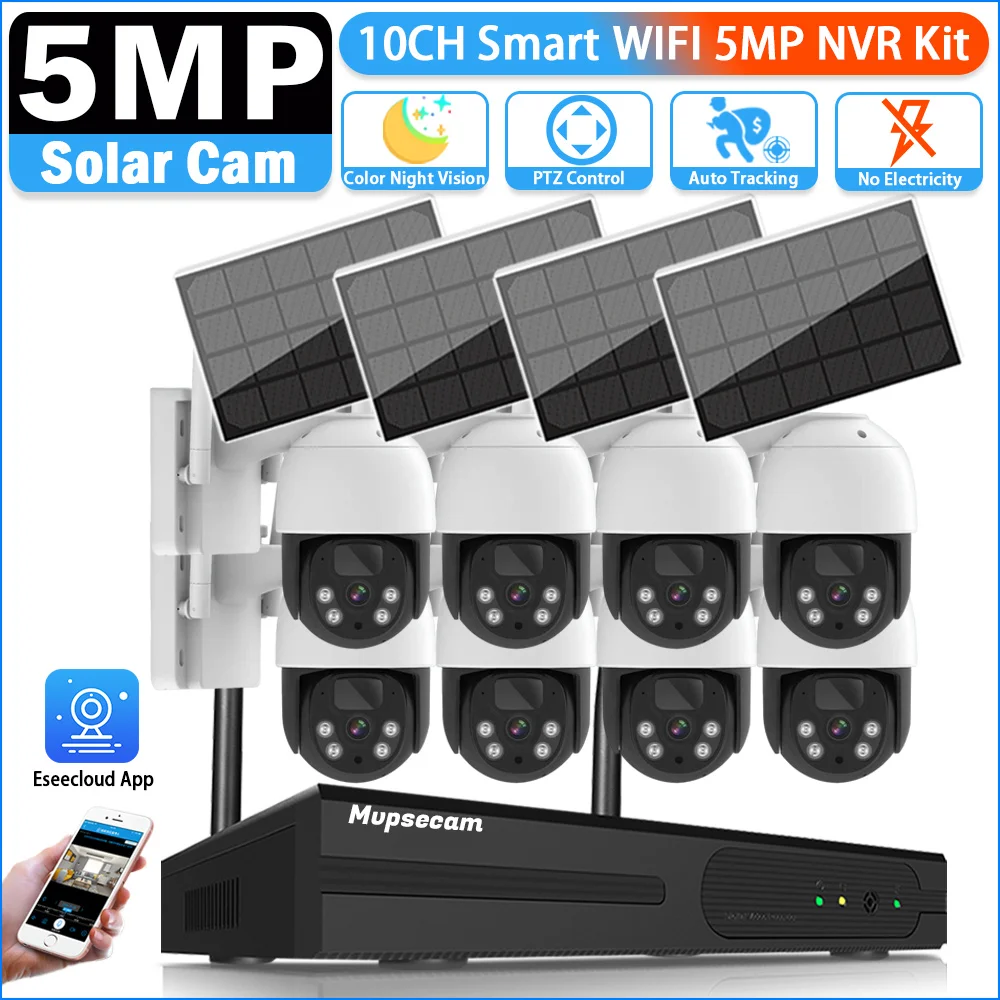
Exploring the Features of Solar Camera 100 500
Exploring the Features of Solar Camera 100 500
Exploring the Features of a Solar Camera from $100 to $500
Want to keep an eye on your garden, but there’s no power outlet in sight? Running cables is often a messy, expensive nightmare, leaving useful spots—like a fence, shed, or the far end of a driveway—unprotected.
This is where solar-powered security cameras change the game. Imagine placing a high-definition camera anywhere the sun shines and setting it up in under 15 minutes, with no wires to run and no holes to drill. It’s security made simple and completely flexible.
But are solar security cameras reliable, especially on cloudy days? The answer is a confident yes. A modern wireless outdoor camera doesn’t just run on sunlight; it uses its solar panel to constantly charge a built-in battery. This stored power is what keeps the camera running 24/7, through rain, clouds, and all through the night.

Navigating the options can feel overwhelming, but this guide will walk you through what truly matters for a reliable solar camera in the $100 to $500 range. We’ll cover the key features to help you find the perfect fit for your home.
How Does a Solar Camera Stay Powered on a Cloudy Day?
It’s a common question: what happens when the sun isn’t out? The secret isn’t the solar panel itself, but the large, rechargeable battery inside the camera. The camera runs 24/7 off its internal battery, and the solar panel’s only job is to act as its personal, wire-free charger, keeping that battery topped up whenever there’s daylight.
This system is designed for real-world weather. You don’t need intense, direct sun all day for the camera to charge effectively, as the panel will still generate power on overcast days. This trickle charge keeps the battery level healthy, which is crucial for reliable performance in less sunny climates and during winter.

A fully charged battery can often power the camera for days or even weeks on its own. This impressive standby time is possible because the camera is smart; it typically only records when it detects motion. By not running constantly, it conserves a huge amount of energy. This combination of efficient charging and smart power use provides reliable security you don’t have to constantly manage.
Wired vs. Solar Cameras: Why Cutting the Cord Is a Game-Changer
The biggest headache with traditional security cameras is often the power cord. Finding a nearby outlet can severely limit your options, tethering your security to your home’s existing wiring. This is where the primary benefit of a solar-powered camera shines brightest: total placement freedom.

Instead of drilling holes through walls or hiring an electrician, installing a solar security camera typically involves a few screws and about 15 minutes. This simple, DIY approach allows you to finally monitor a distant fence line, a shed, or the end of your driveway—places where running a cable would be a costly nightmare.
Here’s a quick breakdown of wired vs. solar security camera differences:
- Installation:
- Solar: Minutes, DIY-friendly.
- Wired: Hours or professional help needed.
- Placement:
- Solar: Anywhere with a little sun.
- Wired: Must be near a power outlet.
- Power Outages:
- Solar: Keeps working on its battery.
- Wired: Stops working immediately.
Of course, if you want to place a camera right next to an existing power outlet, a traditional wired model can be effective. But for ultimate flexibility, a solar camera delivers peace of mind wherever you need it most.
What Video Quality Do You Actually Need? 2K vs. 4K Explained
A security camera is only as good as the video it records. If you can’t make out important details, it’s not doing its job. This is where resolution comes in. Most cameras in the $100-$500 range offer at least 2K resolution, a big step up from older models. However, you’ll also see 4K options, which pack in even more detail, allowing you to zoom in on distant objects without the image turning into a blurry mess.

The real-world difference is significant. A higher resolution like 4K can be the deciding factor in identifying a person’s face, a logo, or the numbers on a license plate. If your main goal is to get a clear, undeniable look at what’s happening, investing in a 4K solar security camera with night vision provides the best possible clarity.
[Image: A side-by-side comparison. Left half shows a grainy, standard-definition view of a person in a yard. Right half shows a crisp, 4K view of the same person, with a clear logo on their shirt. Captions: “Standard Definition” and “4K Clarity”]
Most solar cameras use infrared (IR) night vision, which produces black-and-white footage that is excellent for seeing movement in total darkness. Some newer models, however, offer color night vision. These cameras use a small, built-in spotlight that activates on motion, allowing them to record in full color. This can provide crucial details, like the color of a car or a trespasser’s jacket.
For general monitoring, a 2K camera with standard infrared is often perfectly adequate. But if you need to positively identify details from a distance, the extra investment for 4K resolution and color night vision is well worth it.
How to Get Alerts That Matter and Avoid Annoying Notifications
A constant video stream would drain a camera’s battery quickly. Instead, solar cameras rely on motion detection. They stay in a low-power sleep mode until something moves in their field of view, at which point they wake up, record a clip, and send an alert to your phone. This intelligent process allows them to operate for weeks or months powered only by the sun.
To avoid endless alerts from falling leaves or a neighbor’s cat, look for “Smart Detection.” Many modern cameras can now differentiate between a person, a vehicle, and other general movement. This dramatically reduces false alarms, ensuring your phone only buzzes for events you actually want to know about.

Once your camera records an event, the video needs to be saved. You have two main choices. The first is a solar camera with local storage, which uses a micro SD card to store footage right on the device with no monthly fees. The second is cloud storage, where videos are uploaded and saved online, usually for a subscription fee. While cloud storage keeps footage safe if the camera is stolen, many people prefer the one-time cost of an SD card.
Where to Place Your Camera for Sun and Security
Finding the perfect spot for your solar camera involves balancing a clear view for security with enough light to stay powered. The good news is that these cameras are designed to make this balancing act easy.
Most models only require about three to four hours of direct, unobstructed sunlight each day to keep the battery charged. To make the most of that light, try to install the solar panel where it faces south (if you’re in the Northern Hemisphere). This helps it capture the maximum amount of energy as the sun moves across the sky, ensuring reliable operation even on shorter winter days.

Your camera must also be tough enough to handle the weather. Look for its IP Rating, which scores its protection against dust and water. A rating of IP65 or IP66 means your camera is sealed tight and can easily withstand heavy rain, snow, and wind.
No Wi-Fi? No Problem: Choosing Between Wi-Fi and 4G Cameras
Most solar cameras connect to the internet using your home’s Wi-Fi network. If you’re placing your camera on your house, garage, or in a yard where your Wi-Fi signal is strong, a standard Wi-Fi model is the perfect, cost-effective choice.
For remote spots well outside your Wi-Fi’s reach, however, there’s another option: a 4G camera. This model works like a cellphone, using a SIM card to connect to a cellular network instead of your router. This technology makes it the best solar camera for areas with no Wi-Fi, such as a distant farm gate, a boat dock, or a large property where a home signal won’t reach.

The key difference is that a 4G camera requires its own SIM card and a monthly data plan from a cellular provider. This small ongoing cost is the trade-off for getting security anywhere you have a cell signal.
Is Installing a Solar Camera Actually Easy? A 3-Step Guide
The good news is that you don’t need to be a tech expert or hire a professional to install a solar-powered CCTV system. You can have one running in under 30 minutes with just a few basic tools. The process breaks down into three simple steps:
Charge and Set Up Inside. Before going outside, fully charge the camera’s internal battery using its USB cable. While it’s charging, follow the app’s on-screen instructions to connect the camera to your phone and Wi-Fi network. It’s far easier to do this from your couch than from a ladder.
Mount the Camera. Pick your spot, hold the included mounting bracket against the surface, and use a drill or screwdriver to attach it with a few screws. Then, simply twist the camera onto the bracket until it’s secure.
(Image: A person’s hands easily screwing a solar security camera onto a mounting bracket attached to a wooden fence.)
Position the Solar Panel. The panel attaches with its own small bracket and connects to the camera via a short, weatherproof cable. Angle it where it will receive several hours of direct sunlight each day to keep the battery topped up.
That’s it. With the camera mounted and the panel soaking up the sun, your system is officially up and running.
Your 5-Point Checklist for Choosing the Best Solar Camera
To simplify your choice, use this final checklist. It turns browsing into a focused search for the best affordable solar security camera for you.
- Connectivity: Do I have Wi-Fi, or do I need 4G?
- Video Quality: Is 2K enough, or do I need 4K for zooming in?
- Night Vision: Is black-and-white okay, or do I want color detail?
- Smart Alerts: Do I need person/vehicle detection to avoid false alarms?
- Storage: Am I okay with an SD card (no fees) or do I prefer cloud backup (subscription)?
By answering these five questions, you’re making an informed choice to find the perfect mid-range solar camera to bring you peace of mind, no wires required.
Step-by-Step Aosu Solar Wireless D1 Camera Setup: Your Complete Guide: Seamless Top-Notch Security!


You May Also Like

Benefits of Installing Solar Power Outlets
