
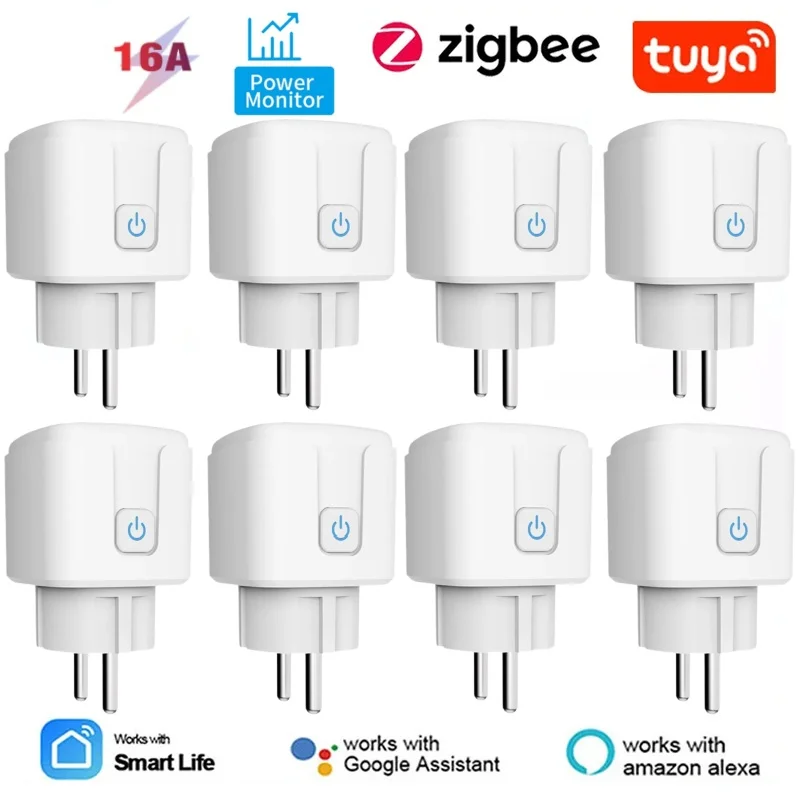
Best Smart Plugs for Home Assistant


Best Smart Plugs for Home Assistant
Tired of juggling a dozen different apps just to control your smart home? It’s a common frustration, and you’ve likely heard that a system called Home Assistant can act as a central brain to unite everything. But with its reputation for being complex, where do you even start? The good news is the most powerful first step is also the simplest and most affordable: choosing the right smart plug. Choosing from the best smart plugs for Home Assistant gives you an immediate, affordable win.
This small device is the perfect entry point into a truly connected home. As one of the simplest home automation plugs, think of a smart plug as the key that unlocks your ordinary appliances—from a floor lamp to a fan—making them part of your new, unified system. This guide is designed to get you started without the headache, focusing on that one powerful building block to ensure a successful smart plug setup.

We’ll break down the crucial difference between device “languages” like Wi-Fi and Zigbee and reveal why a feature called “local control” is the secret to a fast and reliable system. You’ll walk away knowing precisely which plug to buy, feeling confident and ready to build.
What “Works with Home Assistant” Really Means: The Secret of Local Control
You’ve probably noticed that most smart devices stop working when your internet goes down. That’s because they rely on “cloud control”—sending your command to a company’s server somewhere on the internet before it comes back to turn on your lamp. One of the biggest superpowers Home Assistant gives you is the ability to choose devices that use local control. This simple difference is what makes a smart home truly reliable and responsive.
Think of local control as keeping the conversation inside your house. Instead of shouting your request across the world, your Home Assistant hub talks directly to the smart plug over your home’s Wi-Fi network. This direct communication is not only faster—meaning your lights turn on the instant you ask—but it’s also much more private, as data about your daily habits isn’t being logged on a corporate server.
This local approach is what makes your smart home dependable. Because the plugs don’t need the internet to function, your scheduled automations will run flawlessly even during a complete internet outage. Your coffee pot will still brew at 7 AM and your lights will still turn on at sunset. By choosing a plug built for local control, you’re not just adding a gadget; you’re building a more private, resilient, and responsive home.
Choosing Your Plug’s Language: Simple Wi-Fi vs. Super-Reliable Zigbee
Now that you understand the power of local control, the next question is how your plugs will “talk” to Home Assistant. Think of it like choosing a language. The two most popular and reliable languages for smart home devices are the familiar Wi-Fi and the super-efficient Zigbee. Each has distinct advantages, and your choice will shape how you start your Home Assistant journey.
Wi-Fi plugs are the most straightforward option because they speak a language your home already knows. They connect directly to your existing home Wi-Fi network, just like your laptop or phone. This means you don’t need any extra hardware to get started. The potential downside is that as you add dozens of Wi-Fi devices, they can start to crowd your network, which might slow things down for everything else.
This is where Zigbee comes in. Zigbee devices speak their own special, highly-efficient language. To let Home Assistant understand them, you need a small, inexpensive “translator”—a simple USB stick called a Zigbee Coordinator that plugs into your Home Assistant device. The big advantage? Zigbee devices create their own separate, robust network. They are incredibly fast and don’t compete with your Netflix stream for Wi-Fi bandwidth.
So, how do you decide between Zigbee vs. Wi-Fi smart plugs for Home Assistant? Here’s a quick comparison:
Extra Hardware: Wi-Fi requires none. Zigbee needs a one-time purchase of a small USB coordinator.
Reliability: Wi-Fi is generally good. Zigbee is excellent, as it builds its own dedicated network that gets stronger with each device you add.
Setup Ease: Wi-Fi is the simplest start. Zigbee is also easy but involves plugging in that one extra piece.
For your first one or two plugs, Wi-Fi is a fantastic, zero-hassle entry point. If you dream of a larger, rock-solid smart home, investing in Zigbee from the start is a brilliant move. Let’s look at the easiest path first.
The Easiest Start: Our Top Wi-Fi Plugs That “Just Work”
For the simplest possible entry into the world of Home Assistant, our top recommendation for a Wi-Fi plug is the Shelly Plus Plug. While many common Wi-Fi plugs from brands like TP-Link Kasa often rely on a company’s cloud server to function, Shelly devices are different. They were built with local control in mind, meaning they are designed to talk directly to your Home Assistant “brain” without needing an internet connection or a separate app account to get started.
The setup experience is where the magic happens, and it introduces a wonderful feature called automatic discovery. Once you power on the Shelly plug and connect it to your home Wi-Fi, Home Assistant will see it on your network and pop up a notification asking if you’d like to add it. There’s no fumbling with IP addresses or complex code; you just click ‘Configure,’ and you’re done. This is the ideal smart plug setup, and it feels incredibly slick and user-friendly.
This combination of using your existing Wi-Fi network while still getting the privacy and reliability of local control makes the Shelly plug a fantastic, worry-free starting point. It’s the perfect way to get an immediate win and see the power of Home Assistant in action. But if you’re already planning a home with dozens of devices and want the absolute best in speed, it’s time to look at the power user’s choice.

The Power User’s Choice: Best Zigbee Plugs for Ultimate Speed and Reliability
When you’re ready to build a truly robust smart home with more than just a handful of devices, moving to Zigbee is the single best upgrade you can make. It creates its own dedicated, high-speed network that runs separately from your Wi-Fi, ensuring instant response times. For this, the community favorite is overwhelmingly the Sonoff S31 Lite zb. It’s famous for being incredibly affordable and pairing instantly with Home Assistant’s built-in Zigbee integration (ZHA), making it one of the most reliable and best Zigbee smart plugs you can buy. For many homeowners, it’s the best Zigbee smart plug for reliability and price.
Here’s the secret superpower of most Zigbee plugs: they don’t just connect to Home Assistant, they help other Zigbee devices connect, too. Think of each plug as a helpful teammate. The first one talks to your Zigbee coordinator (the “translator” USB stick). A second plug, perhaps in the basement, might be too far to reach the coordinator directly. Instead, it can talk to the first plug, which passes the message along. This creates a strong, self-healing web across your home, making your whole system more resilient.
This ability to strengthen its own network is why Zigbee is considered the gold standard by so many Home Assistant users. Every plug you add makes the whole system faster and more reliable, which is why they are often considered the most reliable Tuya-compatible smart plugs for this ecosystem. Once you have this incredibly dependable on/off control, you might start wondering what else is possible. Some plugs can do more than just switch power; they can also tell you exactly how much electricity a device is using.

Beyond On/Off: Finding “Vampire” Devices with an Energy Monitoring Plug
While turning things on and off is useful, some smart plugs have an even more powerful trick: they can measure exactly how much electricity a device is using. This is a fantastic way to hunt down “vampire” devices—those electronics that quietly sip power even when they’re turned off, adding to your energy bill. A smart plug with energy monitoring for Home Assistant can finally show you if that old entertainment center or guest room TV is costing you money in standby mode, helping you make smarter decisions about what to unplug.
For this feature, two Wi-Fi plugs stand out for their accuracy and dead-simple integration. The Sonoff S31 is a widely trusted choice, famous for its reliability and low cost. Another community favorite is the Shelly Plus Plug US , which works locally with Home Assistant right out of the box, ensuring your data stays private. Simply plug one in and connect your appliance, and you’ll see a real-time graph of its power usage appear in your Home Assistant dashboard. These home automation plugs make it easy to visualize and act on energy data.

The real magic happens when Home Assistant uses this data for automations. Imagine plugging your washing machine into an energy monitoring plug. Instead of guessing when the laundry is done, Home Assistant can see the power consumption drop to near zero and automatically send a notification to your phone that it’s time to move your clothes to the dryer. This level of practical, custom automation is what makes Home Assistant so powerful. Once you’ve mastered control inside, you’ll want to bring that convenience outdoors.
How to Control Your Holiday Lights: The Best Outdoor Smart Plugs
Taking that smart control to your patio, garden, or holiday display requires a special kind of plug. You can’t just use an indoor model outside; it simply won’t stand up to rain, dust, or temperature swings. An outdoor-specific smart plug is built into a rugged, weather-sealed case designed to keep the sensitive electronics inside safe and functional, no matter the season. This durability is key for controlling everything from decorative string lights to a small pond pump.
To find a truly weatherproof device, you’ll want to look for its IP Rating . This is just a standard code that tells you how well the plug is protected. For instance, the TP-Link Kasa Outdoor Smart Plug (KP400) has an IP64 rating, meaning it’s completely sealed against dust and can handle splashing water from any direction—perfect for surviving a rainstorm. It’s a fantastic outdoor smart plug for Home Assistant because of its reliability and simple Wi-Fi setup.

With a proper outdoor plug, you can unlock some of the most satisfying Home Assistant automations for smart plugs. Imagine your landscape lighting automatically turning on 15 minutes after sunset and turning off at sunrise, without you ever touching a button. Or scheduling your elaborate holiday light show to run only from 6 PM to 10 PM on weekends. It’s this kind of set-it-and-forget-it convenience that makes a smart home feel truly magical. These simple connections are exactly what a new technology called Matter hopes to standardize for all devices.
The Future is Coming: What is Matter and Should You Care?
A new universal standard is emerging: Matter. You might have started seeing its logo on smart home packaging, and the promise behind it is simple and powerful. Think of Matter like the USB standard for your smart home. Before USB, every gadget had its own unique, confusing plug. Now, USB is the one connector that rules them all. Matter aims to be that single, universal standard that allows certified smart home devices to work with any smart home system, effortlessly.
The ultimate goal of Matter is to act like a universal translator. Unlike Zigbee, which is its own distinct “language,” Matter is a standard that works on top of familiar connections like Wi-Fi. A plug that supports Matter is designed to connect to Home Assistant, Apple Home, and Google Home with the same rock-solid reliability and local control. This ends the guesswork of wondering, “Will this plug work with my system?” The answer with Matter will always be “yes.”
So, should you rush out and only buy smart plugs with matter support for HA ? For now, the answer is “not necessarily.” While Matter is absolutely the path to a future proof smart home , the technology is still in its early days. For the most stable and feature-rich experience today, the proven reliability of Zigbee and local Wi-Fi plugs is still your best bet for Home Assistant. Think of Matter as an exciting bonus feature, but not a must-have for your first purchase.
Your First Automation: A 3-Step Plan to a Smarter Home
You are now equipped to choose the right smart plug and take your first step into a larger smart home world. The best way to begin is with a clear, simple plan that delivers an immediate win.
Here is a simple, three-step plan for getting started with Home Assistant:
Choose Your Path: Decide between the plug-and-play simplicity of Wi-Fi or the long-term speed and reliability of Zigbee (which just needs one extra USB “translator”).
Make Your Purchase: Pick one from our list of the best smart plugs for Home Assistant. You can’t go wrong.
Create Your First “Win”: Use Home Assistant’s guided creator to make your first automation: “When the sun sets, turn on the living room lamp.”
This simple automation is more than just a convenience; it’s proof that your house can begin to work for you, responding to the world around it. This is your first of many powerful Home Assistant automations, transforming your home from a collection of devices into a truly intelligent environment that you control.
Tuya Zigbee Smart Socket Plug Review + Setup


You May Also Like

Cool Gadgets for the House

The Future-Ready Smart Home: AI, Security, Energy Savings, and Design Ideas for Modern Living
