
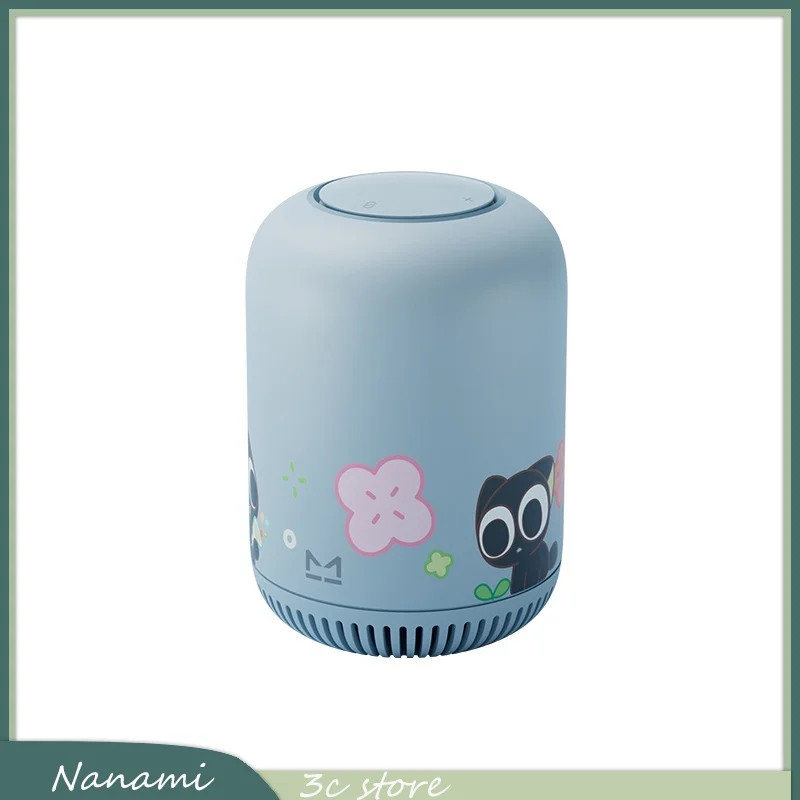
What is a Smart Home Speaker?


What is a Smart Home Speaker?
Have you ever been cooking, hands covered in flour, and wished you could set a timer without touching anything? Or perhaps you’re juggling groceries and trying to turn on the lights. This simple, daily frustration is exactly what a smart speaker is designed to solve, acting as a hands-free helper for your home.
At its core, a smart speaker combines two things you already understand: a quality speaker for sound and a helpful “virtual assistant” for answers. Think of this assistant—like Amazon’s Alexa or the Google Assistant—as the device’s brain, living inside the speaker and connected to the internet, ready to help.
Summary
Smart speakers pair a quality speaker with an internet-connected voice assistant (like Alexa, Google Assistant, or Siri) to provide hands-free help at home. Using your Wi‑Fi and the cloud, they respond after a “wake word,” playing music, setting timers, answering questions, and more. Unlike Bluetooth speakers, they work independently and can control other smart devices—such as lights and plugs—by voice. Privacy features include wake-word-only listening, a physical mic mute, and options to review or delete voice history.

This assistant isn’t a tiny supercomputer. Instead, the device uses your home’s Wi-Fi to connect to the internet. When you ask a question, your request is sent to massive, powerful computers online (sometimes called “the cloud”). These systems find the answer and send it back to your speaker in just a second or two. The speaker on your counter is really just a friendly gateway: a microphone that hears you and a speaker that talks back, while all the heavy lifting happens elsewhere.
Its most important feature is voice control. You simply say a special “wake word” to get its attention and then make your request. You can ask it to play a specific song, give you a weather forecast, or add milk to your shopping list without lifting a finger. Research from sources like Edison Research consistently shows that users value them for handling small tasks when their hands are full. It’s about making daily routines just a little bit easier.
How Does It Know When to Listen? The Magic of a ‘Wake Word’
A common worry about smart speakers is that they are always recording everything you say. Thankfully, that isn’t the case. The device is engineered to listen for one thing only: a specific phrase called a “wake word.” Think of it like getting a pet’s attention—your dog hears all the sounds in the house, but it only truly listens when you call its name.
Until the speaker detects that special word, it doesn’t save or react to any of your conversations. After you say the wake word—like “Alexa,” “Hey Google,” or “Hey Siri”—a light on the device will typically turn on. This is your signal that the speaker is now “awake” and ready to process your request. Everything said before that moment is simply ignored.
This voice recognition is the key that unlocks the assistant’s abilities. It ensures the device is ready when you need it but respects your privacy when you don’t.
What Can a Smart Speaker Do Right Out of the Box?
Once you’ve woken up your smart speaker, you have a powerful helper at your command, even if it’s the only “smart” gadget you own. You don’t need a house full of connected devices to see its value. It acts as a central hub for entertainment and quick information, ready to respond to your voice.
Perhaps its most popular use is for music. It’s like a jukebox with a nearly endless library; you just have to ask for what you want. By saying something like, “Alexa, play some relaxing music,” the speaker instantly finds and plays songs from the internet, filling the room with sound without you ever touching a screen.
Beyond entertainment, a smart speaker is a fantastic hands-free assistant. If you’re cooking and have messy hands, you can say, “Hey Google, set a timer for 15 minutes.” This simple convenience is a perfect example of its usefulness in everyday situations. This extends to satisfying your curiosity in seconds.
Common uses right out of the box include:
Ask for any song, artist, or genre.
Set hands-free timers and alarms.
Get a quick answer to a question, like “What’s the weather today?” or “Who won the game last night?”
Smart Speaker vs. Bluetooth Speaker: What’s the Real Difference?
You’ve probably used a Bluetooth speaker to play music from your phone, which raises a common question: aren’t they basically the same thing? While they can both play music and often look similar, the way they work is fundamentally different. The distinction comes down to which device has the “brains.”
A Bluetooth speaker is an accessory that only plays audio sent from another device, like a phone. If your phone goes out of range or its battery dies, the music stops. A smart speaker, however, is its own independent device. It connects directly to the internet via your home’s Wi-Fi, allowing it to stream music, look up answers, and perform tasks all by itself, without relying on your phone.
The choice depends on your needs. If you just want to make your phone’s audio louder on the go, a portable Bluetooth speaker is a great choice. But if you want a hands-free assistant for your home that works on its own, you need a proper smart speaker. This independence is what allows it to become the captain of your connected home.
Becoming the Captain of Your Home: How Speakers Control Other Gadgets
That idea of a smart speaker being the “captain” of your home is the key to unlocking its most powerful feature. Beyond playing music or answering questions, a smart speaker can act as a central, voice-activated remote control for other gadgets. It sends commands over your home’s Wi-Fi network, allowing you to manage different devices without lifting a finger.
Making a regular, “dumb” item like a living room lamp listen to your speaker is simple with a smart plug. This small adapter plugs into the wall outlet, and you then plug your lamp directly into it. The smart plug connects to your Wi-Fi, giving your old lamp an internet connection and putting it on the speaker’s “team.”
Once connected, the magic happens. Instead of fumbling for a switch in the dark, you can walk into the room and say, “Hey Google, turn on the reading lamp.” The speaker hears you, instantly sends the command to the smart plug, and the light clicks on. Your voice becomes the universal remote.
This same principle applies to more than just lamps. With the right smart device—whether it’s a plug, a special light bulb, or even a coffee maker—your speaker can manage a whole range of household items. Its ability to bring different gadgets together under one voice command is what transforms your house into a helpful, connected smart home.

Meet the Assistants: A Simple Guide to Alexa, Google, and Siri
The real magic of a smart speaker is the helpful assistant living inside it. Choosing a speaker usually means choosing one of the three main assistants: Amazon’s Alexa, the Google Assistant, or Apple’s Siri. This is like choosing between an iPhone and an Android phone; you’re picking a “family” of technology that works well together. If you already use an Android phone and Google Maps, a Google speaker will feel natural. If you have an iPhone, Siri is a familiar voice.

Amazon’s Alexa, found in Echo speakers, is fantastic for shopping and compatibility. It connects to the widest range of other smart devices, making it a great choice for building a connected home. The Google Assistant, which powers Google Nest speakers, shines when it comes to knowledge. Backed by the world’s biggest search engine, it’s often the best at answering random or complex questions.
A speaker’s abilities don’t stop with its built-in knowledge. “Skills” (for Alexa) or “Actions” (for Google) are like free apps you add to your speaker. Just by asking, you can enable a new Skill and teach your assistant thousands of new tricks, from ordering a pizza to playing calming rain sounds.
Your Privacy Matters: Is It Safe to Have a Smart Speaker?
The most important question is: “Is this thing always listening to me?” The answer is no. A smart speaker is designed to listen only for its “wake word,” like “Alexa” or “Hey Google.” The device ignores all other conversation and only begins processing a request after it has been activated.
For an even simpler guarantee of privacy, every smart speaker includes a physical microphone mute button. When you press it, the microphone is electronically disconnected, and a red light usually turns on to show you it’s off. This isn’t a software setting; it’s a hardwired “off switch.” If you have guests over or simply want a moment of guaranteed quiet, one press gives you complete peace of mind.

Commands you speak after the wake word are sent to the company’s servers to be understood and are typically saved to help the assistant learn your voice and improve its accuracy. Companies like Amazon and Google provide a voice history in their apps, allowing you to review and even delete your past commands, similar to clearing your web browser’s history.
Between the wake-word-only design, the physical mute button, and your ability to manage your voice history, smart speaker privacy concerns are addressed with multiple layers of user control. You get to decide when it listens and what it remembers.

Ready to Start? Your 3-Step Plan to a Smarter Home
Deciding if a smart speaker is worth it is best answered by trying one for yourself. This simple launchpad shows how to set up a smart home hub without the stress.
Check Your Foundation: All you need is a reliable home Wi-Fi network and a smartphone (like an iPhone or Android) for the initial setup.
Pick Your First Helper: Don’t overthink it. Start with a small, affordable model like an Amazon Echo Dot or a Google Nest Mini.
Try One Simple Task: Once it’s set up, just ask it to play a song or tell you the weather.
That first successful command is the “aha!” moment. It’s when the gadget stops being a piece of technology and starts feeling like a helpful part of your home, ready to tackle one small convenience at a time.
Q&A
Question: What exactly is a smart speaker and how does it work? Short answer: A smart speaker pairs a quality speaker with a built-in voice assistant (like Alexa, Google Assistant, or Siri) and your home Wi‑Fi. After you say a “wake word,” it sends your request over the internet to powerful cloud servers, gets the result in a second or two, and speaks it back. The device on your counter is mainly a microphone and speaker; the heavy processing happens online.
Question: How is a smart speaker different from a Bluetooth speaker? Short answer: A Bluetooth speaker is just an accessory—it only plays audio from a nearby phone and stops if your phone disconnects or dies. A smart speaker is an independent device that connects directly to Wi‑Fi, so it can stream music, answer questions, set timers, and control smart home devices by voice without relying on your phone.
Question: Is a smart speaker always listening, and how is my privacy protected? Short answer: No. It’s designed to listen only for its wake word (like “Alexa” or “Hey Google”). Nothing is saved or processed until after it hears that word, which is usually indicated by a light turning on. Every smart speaker also has a physical microphone mute button that electronically cuts power to the mic, and you can review or delete your voice history in the app.
Question: Do I need other smart devices to get value, and how can it control my existing lamp? Short answer: You don’t need any other gadgets to benefit—out of the box you can play music, set hands-free timers and alarms, and get quick answers. To control something like a regular lamp, plug it into a Wi‑Fi–connected smart plug. Then you can say, for example, “Hey Google, turn on the reading lamp,” and the speaker will send the command to the plug to switch the lamp on.
Question: Which assistant should I choose, and can I add more features later? Short answer: Pick the assistant that fits your tech “family”: Alexa (Echo) is great for wide device compatibility and shopping; Google Assistant (Nest) excels at answering questions; Siri fits naturally if you’re already in the Apple ecosystem. You can expand what your speaker can do with add-ons—“Skills” for Alexa and “Actions” for Google—that work like free apps, enabling extras like ordering a pizza or playing ambient sounds.
Which Smart Speaker is BEST? - Amazon Echo 4 vs. Google Nest Audio vs. Apple HomePod 2
A Deal to Get Loud About: This JBL Smart Speaker Is Almost 50% Off Today PCMag...
As Google Home Speaker reboot nears, OpenAI reportedly launching smart speaker with camera 9to5Google...
The 5 Best Smart Speakers of 2026 RTINGS.com...
I’ve Tried Every Smart Speaker From Amazon, Google, and Apple. These Are the Ones Worth Buying WIRED...

You May Also Like

How to Choose Smart Speakers for Home Automation Success

7 Essential Types of Smart Home Devices for Modern Living
