
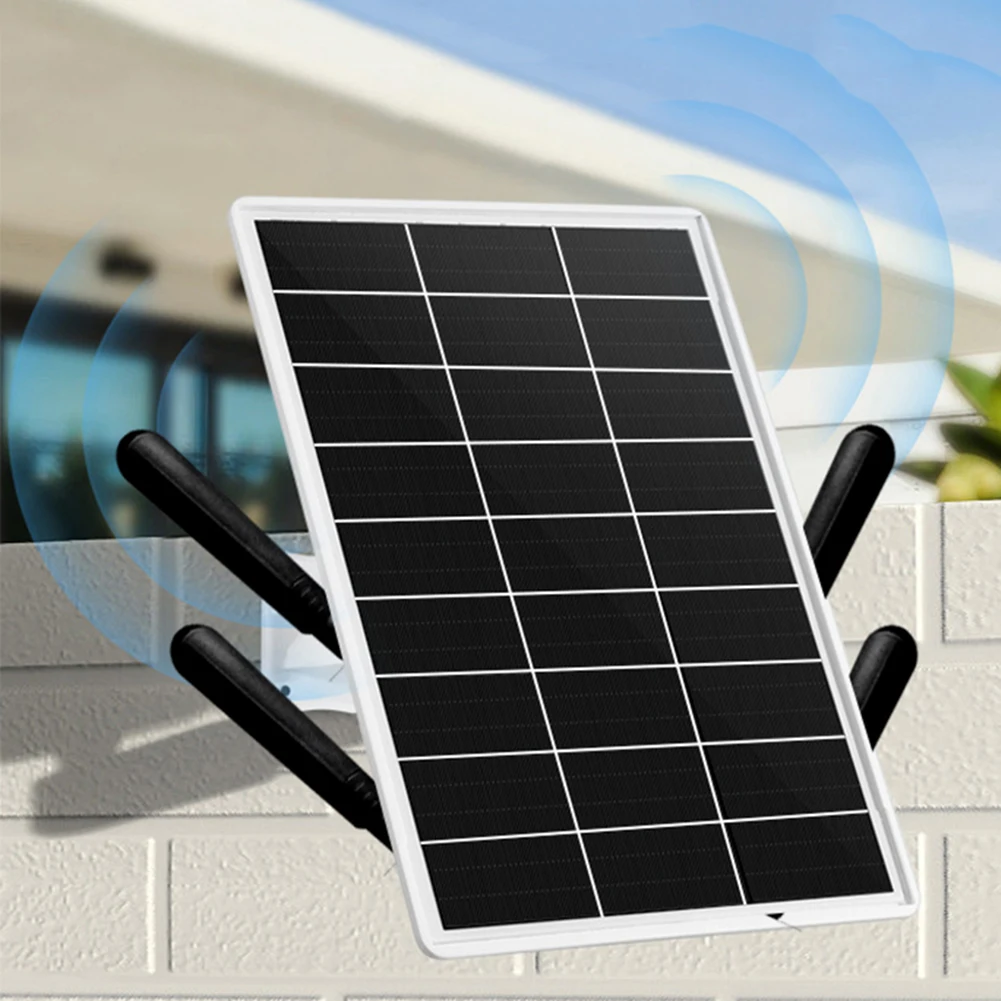
Solar camera
Solar-Powered Security Cameras
Ever wanted to keep an eye on your garden shed or back fence, but the thought of running power cables was a nightmare? You’re not alone. There’s a surprisingly simple solution that lets you put a security camera almost anywhere you want, with no drilling or electricians required.
So, how do solar-powered security cameras work? They use three components working together: the camera, a built-in battery, and a security camera with continuous charging panel. This design is the key difference when comparing solar-powered vs. battery-powered cameras, as you never have to take it down to plug it in.

Think of it like a self-filling water barrel that powers a sprinkler. The solar panel is the rain, constantly topping off the battery—your barrel. The camera is the sprinkler that runs off that stored power, ensuring it works day or night, rain or shine.
Will My Solar Camera Work on Cloudy Days or in the Rain?
Step-by-Step Aosu Solar Wireless D1 Camera Setup: Your Complete Guide: Seamless Top-Notch Security!
What happens when the sun isn’t shining? The key is that your camera doesn’t run directly from the sun; it runs off its large, built-in battery. The solar panel’s job is to keep that battery topped off, creating a power reserve.
Think of it like saving power for a rainy day—literally. On sunny days, the panel generates more than enough electricity, storing the surplus in the battery. This stored energy ensures a fully charged camera can run for several days through overcast weather, making them surprisingly reliable.

As for actual rain or snow, that’s where weatherproofing comes in. You’ll want to look for a camera with an IP rating of IP65 or higher. This technical number means the device is sealed to withstand dust, downpours, and snow without any issues. Your camera stays on guard, regardless of the weather.
Of course, weather isn’t the only challenge; there’s also the night.
How Solar Cameras See in the Dark: A Look at Night Vision
At night, the camera switches to running entirely on the battery power it saved during the day. This ensures your property remains monitored 24/7 without interruption, even long after the sun has set.

To see in darkness, most models use a clever technology called infrared (IR) light. The camera projects a type of light that is invisible to the human eye but allows the camera’s sensor to see clearly. This creates a sharp black-and-white image, letting you identify people, animals, or vehicles even in pitch-black conditions.
Some advanced outdoor camera models also offer color night vision. Instead of invisible infrared, these cameras turn on a small, visible spotlight when motion is detected. This not only illuminates the area for a full-color recording but can also act as a deterrent to potential intruders.
Wi-Fi vs. 4G: Choosing the Right Connection for Your Camera’s Location
How does the camera send video to your phone? The answer depends on where you place it. Most solar cameras connect to your home’s Wi-Fi network, just like your smartphone. If the spot you want to monitor—like a porch or backyard—has a good Wi-Fi signal, a standard Wi-Fi model is the simplest, most cost-effective choice.

But what if you need an off-grid security camera for a location far beyond your router’s reach? For a distant gate, barn, or boat dock, you’ll need a 4G LTE security camera. Instead of using Wi-Fi, this type of camera works like a cell phone. It has its own SIM card and connects directly to a cellular network to send you alerts and video.
This freedom comes at a cost: 4G models require a data plan from a mobile carrier, which means a small monthly fee. Think of it as adding a mini-phone line for your camera. It’s the perfect solution for true remote security, but if your home Wi-Fi can do the job, you can avoid the extra cost.
Where Is Your Video Saved? Cloud Storage vs. an SD Card Explained
Next, you need to decide where to save the video footage. You have two main choices: a physical memory card (SD card) that slots into the camera itself, or a secure online “cloud” storage account. Each has a distinct advantage.

A memory card is a simple, one-time purchase with no monthly fees, making it a great budget-friendly option. You pop the card in, and it records right there. The trade-off is physical: if a thief steals the camera, your evidence is gone too.
In contrast, cloud storage keeps your recordings safe online for a small monthly fee. Your camera automatically uploads footage to a private account, meaning the evidence is secure even if the camera is stolen or damaged. The best choice is a balance between your budget and how critical it is to protect your recordings.
How to Install Your Solar Camera in Just 3 Simple Steps
Getting your camera set up is the easy part. Forget calling an electrician or spending an afternoon drilling through walls. Installing a wireless solar security camera is a project you can often finish in under 15 minutes with just a drill.
Before you start, the single most important factor for success is solar panel placement. For the camera to stay reliably powered, its panel needs at least 3-4 hours of direct sunlight each day. Many outdoor cameras solve this by including a separate solar panel on a long cord, giving you the flexibility to mount the camera in the shade and place the panel in a sunny spot.
Once you’ve picked your spot, the rest is a breeze:
- Charge It Up: Fully charge the camera indoors with its included USB cable before mounting it.
- Mount It: Screw the small mounting brackets for the camera and panel into place.
- Connect It: Follow the simple steps in the manufacturer’s app to connect the camera to your phone.
Is a Solar Camera Right for You? A Final 3-Point Checklist
Placing a security camera anywhere is a simple project you can now tackle with confidence. When choosing a solar-powered surveillance system, let this simple checklist guide your decision:
- Your Quick-Buy Checklist:
- Location: Is it in Wi-Fi range or do I need 4G?
- Weather: Does it have an IP65+ weatherproof rating?
- Power: Does it have good reviews for battery life?
You’re not just buying a gadget; you’re securing a previously unwatched part of your world. That’s the real power of a solar camera: peace of mind, anywhere you need it, powered by the sun.


This popular solar-powered Wi-Fi security cam is now 50% off PCWorld...
New Tapo solar-powered floodlight security camera on the way to more countries Notebookcheck...
KALAHOL Solar Security Light With Dummy Camera - Motion Sensor, 20ft Range, IP66, For Garden & Yard umlconnector.com...
4K security camera setup comes in a four pack with integrated solar panel power, now available in a huge 53% off limited time deal PC Guide...


You May Also Like

Role of AI in Smart Living: Boosting Efficiency and Security

Role of Smart Outlets – Powering Efficient Living
